Bridge Funds via Across Integration
Our admin UI (app.haipa.ai) supports cross-chain transfers of USDC collateral from Solana and EVM chains such as Ethereum and Arbitrum to Hyperliquid (Hypercore) through our Across integration.
If you've never funded your Hyperliquid account, you'll be prompted to deposit via Across during initial onboarding. Afterwards, you can reach the bridging UI from the Treasury tab (see screenshot 1 below).
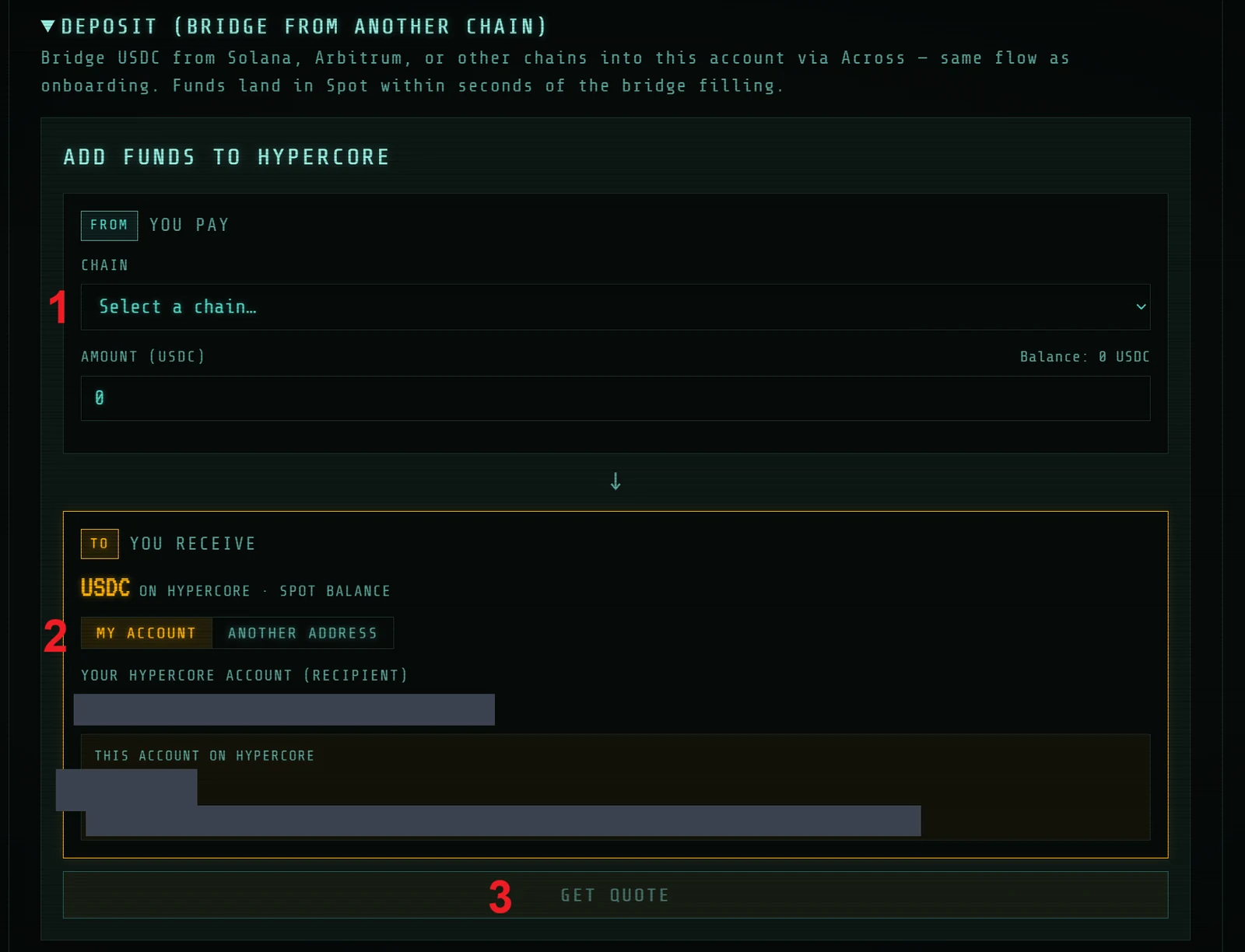
- Select a chain — bridge from Solana or Ethereum.
- Account selection — this defaults to your Hyperliquid account, but you can also fund another Hyperliquid address by selecting Another Address.
- Get Quote — once you've chosen a source account, deposit amount, and deposit address, click to pull a current quote for the bridge (technically a cross-chain swap) from the Across network of relayers (see screenshots 2 and 3 below).
Deposit: selecting the source account
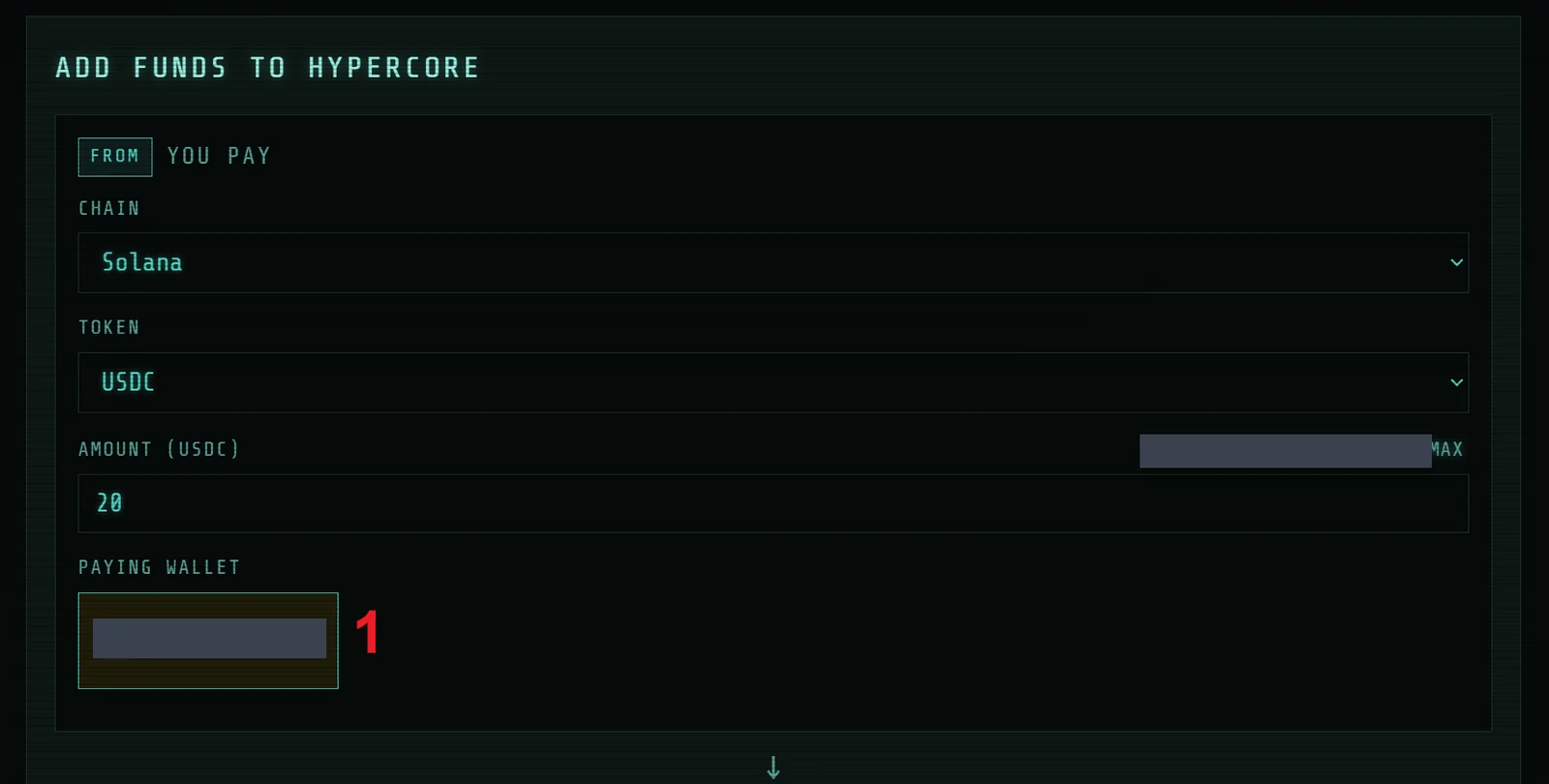
Paying Wallet. By default, the source wallet for the deposit is set to your logged-in user.
To use a different wallet, click the wallet tile (1), select Disconnect, then connect the desired source account in your wallet extension. Your destination account stays connected as well.
Get Quote
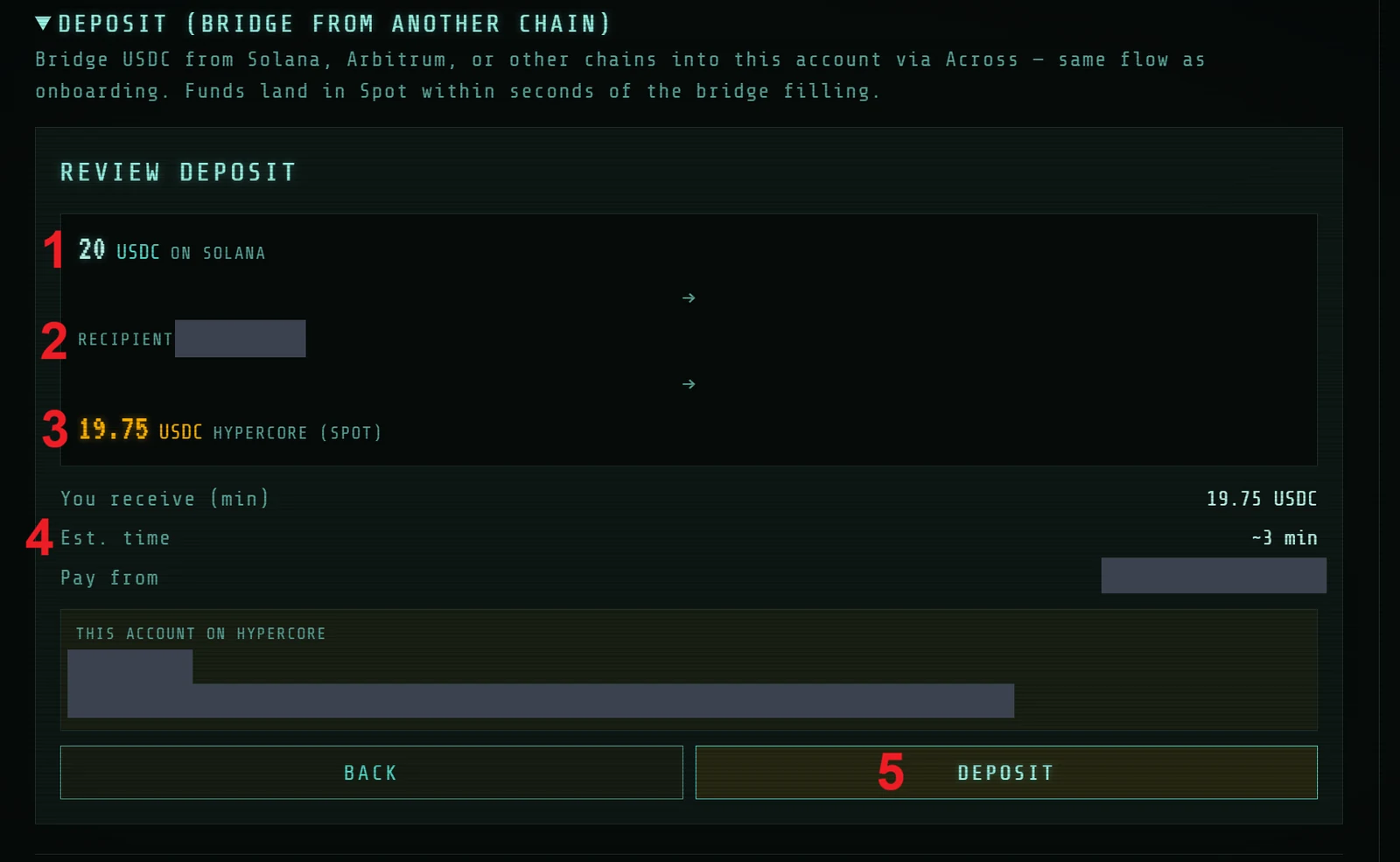
- Input Amount — the amount that will leave your deposit address, i.e. the bridging swap input.
- Recipient — another chance to double-check you're sending to the right Hyperliquid (Hypercore) account.
- Output Amount — the input amount minus Across relayer fees (right now, HAIPA takes 0 fees on bridge transactions).
- Estimated Time of Arrival — estimated from historical results; the actual time depends on network conditions and may be shorter or longer.
- Deposit Button — initiate the deposit, then sign in your wallet to approve the deposit transaction on the source network.